
tobira
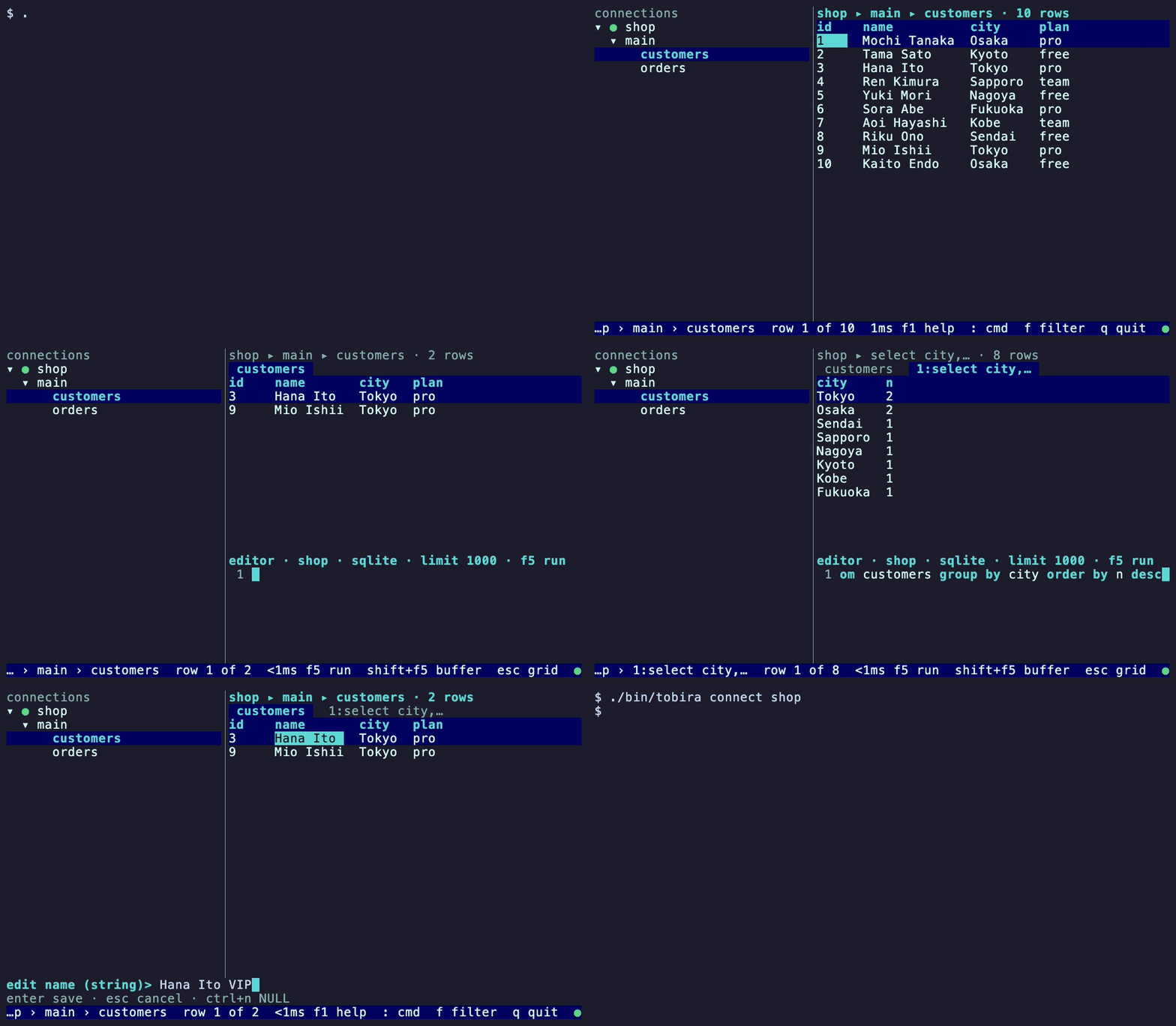
tobira (扉, “door”) is a terminal client for databases, written in Go. You connect, browse the
schema, run native queries and inspect results the same way, whether the database behind the door
is SQLite, PostgreSQL, MongoDB or a vector store. Every database, one terminal.
Quick start
brew install xavidop/tap/tobira        # macOS; Windows: scoop install tobira; Linux: a .deb, .rpm or .apk
tobira query sqlite:./demo.db "select sqlite_version()"
tobira connect sqlite:./demo.db        # open the terminal UI
The Quick start walks through a first session.
What you can do
| Task | Where to read |
|---|---|
| Browse tables and collections, filter, sort and copy rows in a terminal UI | Terminal UI |
| Write queries with completion, result tabs and history | Query editor |
| Edit rows inline, inside a transaction if you want | Editing rows |
| Run one query from a script, as a table, JSON, NDJSON or CSV | tobira query |
| Export a result to csv, json or ndjson | Export |
| Keep passwords out of the config file, in env vars, files or the OS keyring | Passwords and secrets |
Import connections from DBeaver, TablePlus or ~/.pgpass | Importing connections |
| Ask questions about your data in plain language | AI assistant |
| Let Claude Code, Cursor or another MCP client query chosen connections | MCP server |
| Stream change events from PostgreSQL, MongoDB, Redis and other databases | Live tail and tobira watch |
| Check your setup | tobira doctor |
| Add a database that is not listed | Write a driver |
Databases
tobira ships with thirty-one drivers: SQLite, PostgreSQL (with pgvector), MySQL, MariaDB, SingleStore, Amazon Redshift, CockroachDB, Greenplum, SQL Server, Oracle, Snowflake, BigQuery, Vertica, libSQL / Turso, Cloudflare D1, MongoDB, Cloud Firestore, Azure Cosmos DB, Amazon DynamoDB, Redis, Cassandra, ClickHouse, InfluxDB, Elasticsearch, OpenSearch, Qdrant, Pinecone, Weaviate, Chroma, Milvus and Neo4j. DuckDB is an external plugin that you install separately. The drivers page shows what each one supports.
AI ready, CI ready
- Ask questions in plain language with
tobira askor the AI panel, using Gemini, OpenAI, Anthropic or a local Ollama model. tobira mcplets Claude Code, Cursor and other agents query the connections you choose.tobira queryprints JSON, NDJSON or CSV with clear exit codes, andtobira doctorchecks your setup, so tobira fits in scripts and CI.
Safe by default
- Mark a connection
read_only: true, or pass--read-only, and tobira refuses anything that would write. The guard uses the strongest mechanism each database offers. See the read-only guard. - Passwords are references such as
env:PG_PASSWORDorkeyring:prod, never values in the config file. - The AI assistant runs read-only queries. It writes only in the terminal UI, after
:ai execute on, and you confirm each statement. It asks before it sends row data to a model. - The MCP server exposes nothing until you name a connection.
Security covers what tobira protects and what it does not.
Use it as a library
The stable api package lets another Go program use tobira’s drivers without the terminal UI or a
config file. See examples/embedding.
Next steps
- Install tobira.
- Follow the Quick start.
- Read Concepts for drivers, connections, capabilities and policy.
- Stuck? Start with Troubleshooting.